
Download Slay School – AI Flashcard Maker for Students
Overview: Transforming Lectures into Interactive Study Tools
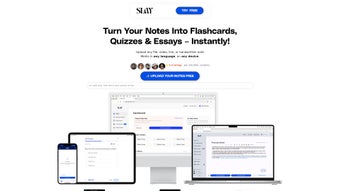
Slay School is an AI‑powered flashcard creator designed to change the way students interact with course material. By simply uploading lecture slides, PDFs, handwritten notes, or even a collection of images, the platform’s deep‑learning engine parses the content, extracts key concepts, and automatically builds question‑answer pairs that can be studied on‑the‑go. What sets Slay School apart is its ability to go beyond plain text; users can embed diagrams, charts, or hand‑drawn annotations directly onto each card, turning passive notes into vivid, multimodal study aids.
The AI doesn’t stop at generation – it continuously monitors your performance, highlights knowledge gaps, and suggests personalized review intervals based on scientifically proven spaced‑repetition algorithms. This dynamic feedback loop helps students retain information longer and reduces the time spent on manual card creation, which is especially valuable for dense curricula such as medical, engineering, or law programs. Slay School also supports seamless export to popular platforms like Anki and Quizlet, ensuring that you can integrate AI‑enhanced decks into your existing workflow without disruption.
With a clean, intuitive interface, multi‑format support (DOCX, PDF, TXT, images), and a free tier that covers core functionality, Slay School provides a secure, cost‑effective solution for anyone looking to make study sessions more efficient, engaging, and tailored to their learning style. Whether you’re cramming for finals, reinforcing daily lessons, or preparing for professional board exams, Slay School empowers you to study smarter, not harder.
Key Features and AI‑Driven Capabilities
- Automatic Flashcard Generation – Upload a lecture PDF or a set of notes and watch the AI instantly produce question‑answer pairs.
- Customizable Media – Add images, graphs, or handwritten snippets to each card for a richer, multimodal study experience.
- Instant AI Feedback – Receive real‑time correctness checks and explanations, helping you correct misconceptions on the spot.
- Spaced‑Repetition Engine – Built‑in scheduling that aligns with cognitive psychology principles to maximize long‑term retention.
- Cross‑Platform Export – One‑click export to Anki, Quizlet, or CSV for offline study and integration with existing decks.
- Multi‑Format Support – Accepts PDF, DOCX, TXT, and image files, ensuring you can turn any classroom material into flashcards.
- Collaboration Mode – Share decks with classmates, comment on cards, and co‑author study sets in real time.
- Secure Cloud Sync – All data is encrypted in transit and at rest, providing a safe environment for sensitive academic material.
- Adaptive Difficulty – AI adjusts question difficulty based on your performance, keeping you in the optimal learning zone.
- Free Basic Tier – Core flashcard creation and export features are free; premium upgrades unlock advanced analytics and bulk‑import tools.
Each feature is built around the central goal of reducing friction in the study process. The automatic generation engine uses natural language processing to identify headings, bold terms, and bullet points, turning them into concise prompts that mimic the style of traditional flashcards while adding a modern, interactive twist. Customizable media options let visual learners attach high‑resolution diagrams directly from their notes, and the hand‑drawing canvas enables a quick sketch of complex processes without leaving the app.
The instant feedback system not only tells you whether an answer is correct but also provides a short rationale, reinforcing the underlying concept and preventing the formation of false confidence. The spaced‑repetition scheduler monitors answer accuracy, response time, and difficulty ratings to calculate optimal intervals, ensuring that well‑known cards are reviewed less frequently while challenging ones appear more often. Export functionality respects the file formats of leading study platforms, preserving card order, tags, and media so that no data is lost during migration.
Collaboration mode encourages peer‑to‑peer learning, allowing study groups to co‑create decks, discuss difficult questions, and track group progress through shared analytics. Finally, the secure cloud sync guarantees that your decks are always backed up and accessible across Windows, macOS, Android, and iOS devices, giving you the freedom to study wherever you are. Together, these capabilities make Slay School a comprehensive, AI‑enhanced study companion that adapts to a wide range of learning preferences and academic demands.
Installation, Compatibility & How to Use Slay School Effectively
Slay School is a web‑based application, which means you can access it from any modern browser on Windows, macOS, Linux, Android, or iOS devices. No heavy downloads are required, but for users who prefer an offline experience, a lightweight desktop wrapper is available for Windows and Mac via Electron.
Step‑by‑Step Installation
- Visit the official Slay School website and click the “Get Started – Free” button.
- If you’re on a desktop, download the installer (Windows .exe or Mac .dmg) and run it; the installer will place a shortcut on your desktop and add the app to your start menu or Applications folder.
- Mobile users can find Slay School in the Apple App Store or Google Play Store; simply tap “Install” and grant storage permissions.
- Launch the app and create a free account using your email or a Google/Apple ID.
- Complete the quick onboarding tutorial that demonstrates how to upload documents, customize cards, and export decks.
Using the Tool Effectively
Once installed, the workflow revolves around three core actions: Import, Edit, Review. Start by clicking “Import” and selecting your lecture PDFs, PowerPoint slides, or handwritten photos. The AI scans the content, identifies key concepts, and suggests flashcard templates.
You can then edit each card—adding images, adjusting wording, or inserting your own handwritten notes by drawing directly on the card canvas. After finalizing the deck, switch to “Review” mode where the AI presents cards in an adaptive sequence, providing instant feedback and tracking your mastery level. For long‑term study, enable the “Sync to Cloud” feature, which automatically backs up your decks and syncs progress across all devices.
Export options are located under “Share” – choose Anki, Quizlet, or CSV, and the tool will generate a compatible file ready for import. Throughout the process, the UI offers tooltip guides and a searchable help center, ensuring even first‑time users feel confident.
Advanced users can take advantage of the “AI Settings” panel, where you can adjust the aggressiveness of concept extraction, set custom review intervals, and enable or disable hand‑writing recognition. The collaboration dashboard lets you invite teammates via email, assign editing rights, and view a change log that records who modified each card. If you encounter connectivity issues, the desktop wrapper stores a local copy of your deck and syncs changes the next time an internet connection is available. All these options are designed to keep the learning experience fluid, whether you are studying in a quiet library, on a noisy commute, or during a late‑night cram session.
Pros and Cons
What Users Love About Slay School
- AI Automation: Saves hours of manual card creation, especially for dense subjects like anatomy or biochemistry.
- Customizable Media: Ability to embed diagrams and handwritten notes makes cards more memorable.
- Cross‑Platform Flexibility: Works on Windows, macOS, Android, and iOS without losing functionality.
- Spaced‑Repetition Integration: Aligns with proven learning science to improve retention.
- Free Core Features: No subscription required for basic flashcard generation and export.
- Collaboration Tools: Real‑time deck sharing and commenting streamline group study sessions.
- Secure Cloud Sync: End‑to‑end encryption protects sensitive academic data.
Areas for Improvement
- Learning Curve for Advanced Settings: Power users may need time to master AI feedback customization.
- Limited Offline Mode: Full AI processing requires an internet connection; offline desktop wrapper offers only basic editing.
- Export to Non‑Standard Platforms: While Anki and Quizlet are supported, some niche LMS integrations are missing.
- Premium Pricing: Advanced analytics and bulk import features are behind a paid tier, which may deter budget‑conscious students.
- Browser Compatibility: Older browsers (e.g., Internet Explorer) are not supported, requiring a modern browser for optimal performance.
- Hand‑writing Recognition Accuracy: While impressive, the OCR engine occasionally misinterprets cursive notes, requiring manual correction.
Overall Rating: 4.5/5 – Slay School delivers a powerful AI‑driven flashcard experience that significantly cuts down study prep time while keeping the learning process interactive and personalized.
FAQ – Frequently Asked Questions
Can I use Slay School for free?
Yes, Slay School offers a free tier that includes unlimited flashcard creation, AI feedback, and export to Anki or Quizlet. Premium features such as bulk‑import, advanced analytics, and offline AI processing are available with a paid subscription.
Is my data secure when I upload lecture notes?
Absolutely. All files are encrypted in transit using TLS 1.3, and stored data is encrypted at rest. Slay School complies with GDPR and FERPA standards, making it safe for academic use.
Which operating systems are supported?
Slay School runs on any modern web browser, covering Windows 10/11, macOS 10.15+, Linux, Android 8+, and iOS 13+. Desktop installers are available for Windows and macOS, while mobile apps are in the Apple App Store and Google Play Store.
How does the spaced‑repetition algorithm work?
The algorithm monitors your answer accuracy and response time, then calculates optimal review intervals based on the forgetting curve. Cards you struggle with appear more frequently, while mastered cards are spaced farther apart, ensuring efficient long‑term retention.
Can I share decks with classmates?
Yes, Slay School includes a collaboration feature that lets you generate a shareable link or invite specific users via email. Shared decks can be edited together, commented on, and exported by any collaborator.
Conclusion: Boost Your Study Sessions with Slay School
In a world where information overload is the norm, Slay School offers a practical, AI‑enhanced solution that turns raw lecture material into engaging, recall‑focused flashcards. Its combination of automatic card generation, customizable media, and scientifically backed spaced‑repetition makes it a standout tool for students across disciplines—especially those in demanding fields like medicine. The free tier provides ample functionality for everyday study, while premium upgrades unlock deeper analytics for power users. Whether you’re prepping for board exams or simply trying to retain semester‑long notes, downloading Slay School today can streamline your workflow, improve retention, and make learning feel less like a chore and more like an interactive experience. Click the download button below and start studying smarter, not harder.



.png)



